
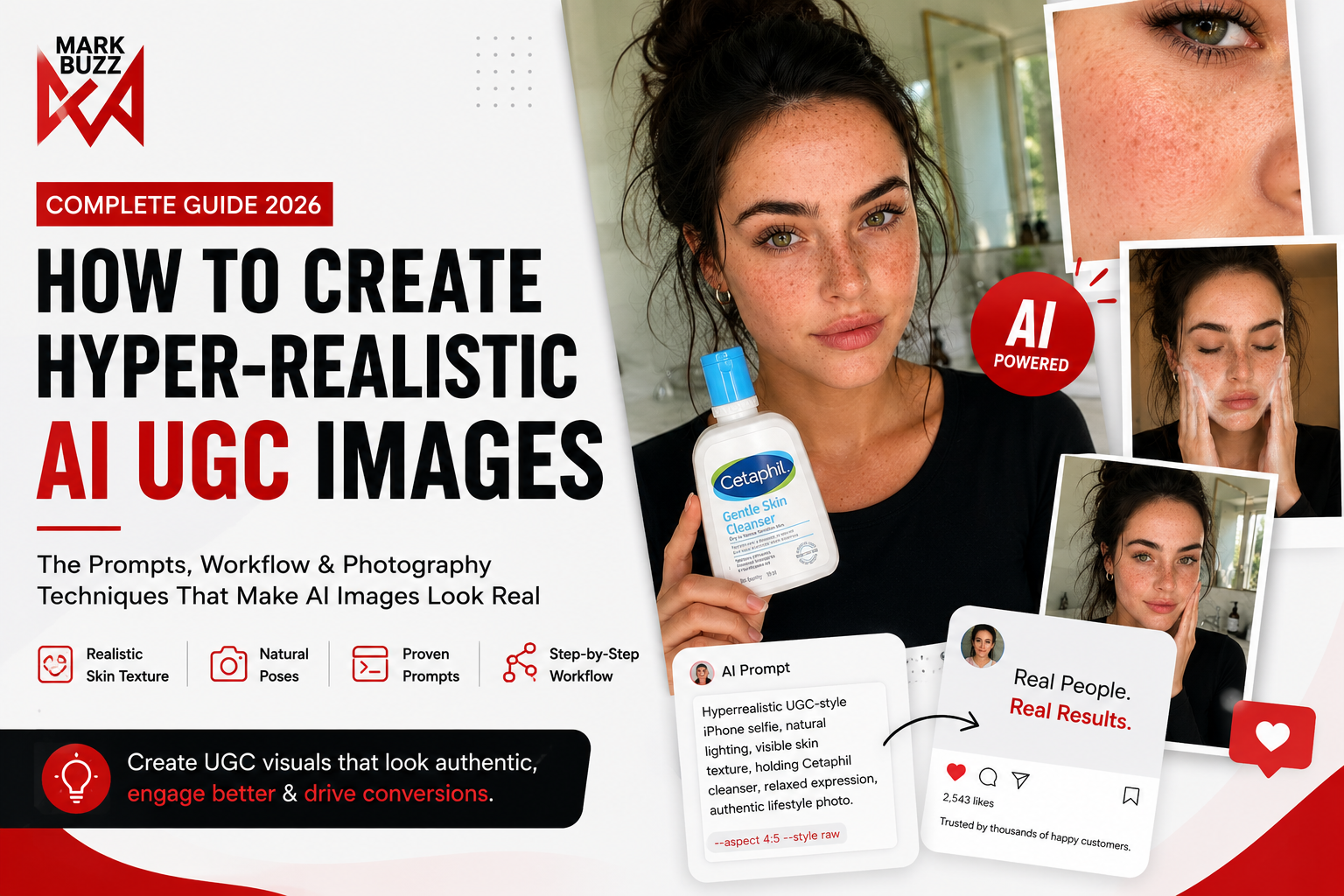
AI UGC Is Changing Advertising
Scroll through Instagram, TikTok, or Facebook today, and you’ll notice something surprising.
Many of the product photos and “customer” images you see aren’t captured in a studio anymore.
They’re generated with AI.
The problem?
Most AI-generated images still look… like AI.
Plastic skin.
Perfect symmetry.
Unnatural hands.
Overly polished lighting.
Fake facial expressions.
And audiences notice it immediately.
The difference between an AI image that gets ignored and one that genuinely convinces people often comes down to small visual details—not bigger prompts.
In this guide, we’ll break down the exact workflow we use at MarkBuzz to create hyper-realistic AI-generated UGC that feels authentic enough for social media ads, landing pages, eCommerce stores, and creative portfolios.
What Is AI UGC?
UGC (User-Generated Content) refers to content that looks like it was created by a real customer rather than a professional production team.
Examples include:
- Selfies
- Product reviews
- Bathroom skincare routines
- Phone-camera photos
- Lifestyle shots
- Before-and-after images
- Mirror selfies
- Casual home photography
The reason UGC performs so well is simple:
People trust people more than advertisements.
Brands increasingly use UGC because it feels authentic and relatable.
AI now makes it possible to create similar visuals in minutes—but only if you understand what makes them believable.
Why Most AI UGC Looks Fake
The issue isn’t the AI model.
It’s usually the prompt.
Many people write prompts like:
Beautiful woman holding skincare product.
Unfortunately, AI fills in the gaps with generic beauty photography:
- Airbrushed skin
- Studio lighting
- Symmetrical features
- Fashion-model posing
- Unrealistic eyes
- Overly sharp details
Real smartphone photography looks nothing like this.
The Secret: Think Like a Photographer, Not a Prompt Engineer
Instead of describing the final image, describe the photo shoot.
Imagine you’re briefing a photographer.
Tell them:
- Who is in the photo
- What they’re are doing
- Which camera they’re using
- Where they’re standing
- What the lighting looks like
- How natural the image should feel
This approach immediately produces more believable results.
Step 1: Preserve Identity
If you’re creating multiple images featuring the same person, consistency is everything.
Start every prompt with identity instructions.
Example
Use the uploaded reference image of the same woman.

Preserve her exact facial identity,
facial proportions,
skin tone,
freckles,
eye color,
hairstyle,
eyebrows,
eyelashes,
clothing,
accessories,
and natural skin texture.

Do not beautify the skin.

Do not alter facial proportions.

Maintain all natural imperfections.
Without this, every generated image may look like a completely different person.
Step 2: Build the Scene
Instead of writing:
Woman holding cleanser
Describe the environment.
Example:
- Modern bathroom
- Morning sunlight
- Window lighting
- White marble countertop
- Smartphone selfie
- Relaxed atmosphere
- Casual clothing
These details create realism before the subject even appears.
Step 3: Use Real Camera Language
One of the biggest mistakes beginners make is describing images instead of describing photography.
Instead of:
Beautiful image
Use terms photographers actually use.
Examples:
- iPhone front camera
- Handheld shot
- Slight wide-angle distortion
- RAW image
- Eye-level composition
- Soft daylight
- Window lighting
- Lifestyle photography
- Casual framing
- Natural exposure
AI understands photography surprisingly well.
Step 4: Skin Is Everything
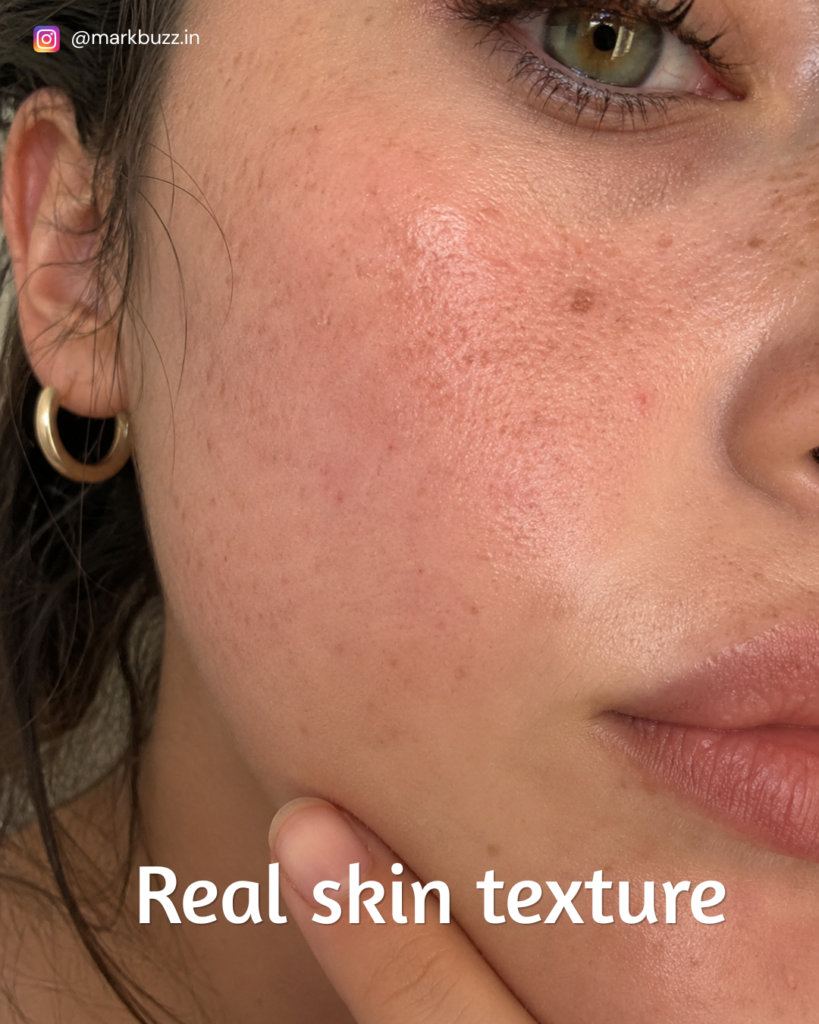
Nothing gives away AI faster than perfect skin.
Real skin contains:
- Visible pores
- Fine lines
- Freckles
- Tiny blemishes
- Uneven pigmentation
- Soft redness
- Natural shine
Avoid prompts like:
- flawless skin
- porcelain skin
- perfect complexion
Instead write:
Visible pores

Natural freckles

Micro skin texture

Healthy hydrated skin

Tiny facial imperfections

No skin smoothing

No beauty filter
These tiny details dramatically improve realism.
Step 5: Natural Poses Beat Perfect Poses
Professional beauty photography often feels staged.
UGC should feel spontaneous.
Examples:
✅ Holding the product naturally
✅ Looking into the phone camera
✅ Touching one cheek
✅ Applying cleanser with both hands
✅ Slight smile
✅ Relaxed posture
Avoid:
- dramatic fashion poses
- exaggerated smiles
- magazine-style expressions
The goal is to look like someone genuinely documenting their skincare routine.
Step 6: Use Realistic Lighting
Lighting can make or break AI images.
Good options include:
- Morning window light
- Overcast daylight
- Bathroom mirror lighting
- Soft golden hour
- Indoor ambient light
Avoid:
- dramatic cinematic lighting
- heavy rim lights
- colorful gels
- fashion studio lighting
Real UGC is rarely lit like a movie.
Step 7: Don’t Overcomplicate Your Prompt
Many users assume longer prompts equal better images.
That’s rarely true.
Instead, focus on clarity.
Describe:
- Subject
- Action
- Environment
- Camera
- Lighting
- Texture
Everything else is secondary.
Example Prompt 1 – Selfie
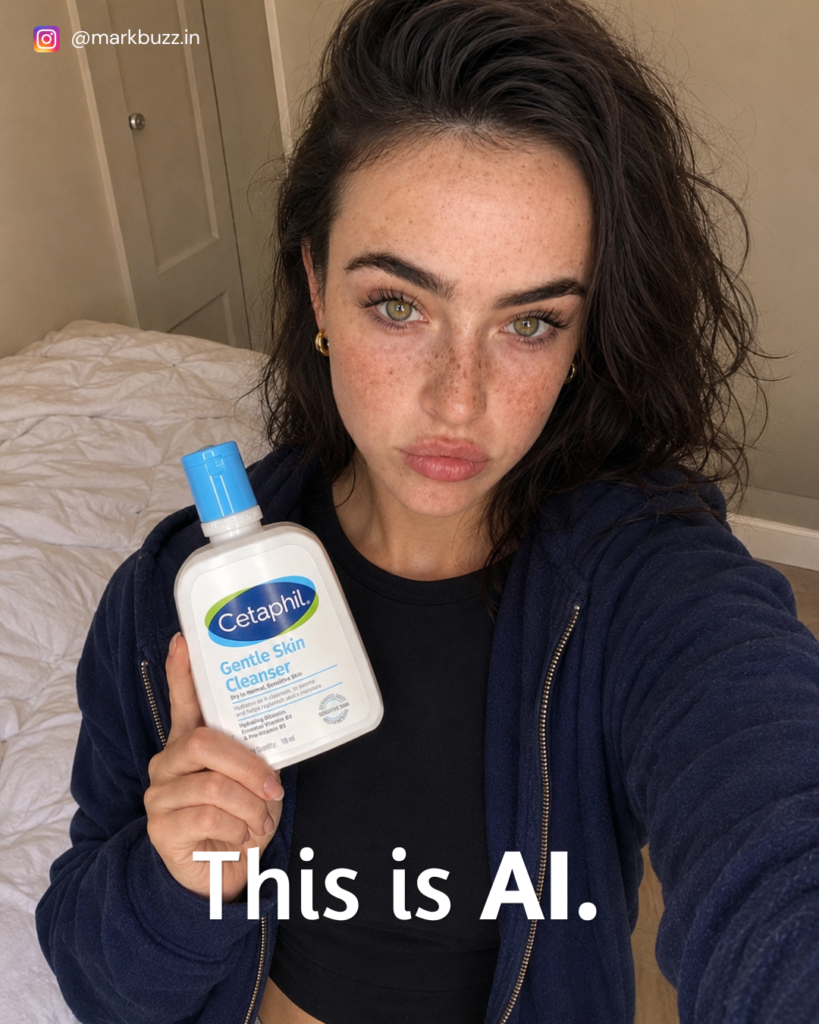
Hyperrealistic UGC-style iPhone selfie.

Use the uploaded reference image of the same woman.

Preserve facial identity exactly.

Holding Cetaphil Gentle Skin Cleanser beside her face.

Natural bedroom.

Window light.

Relaxed expression.

Visible pores.

Freckles.

Natural skin texture.

No beauty filter.

RAW smartphone photography.

Authentic lifestyle image.
Example Prompt 2 – Skin Close-Up
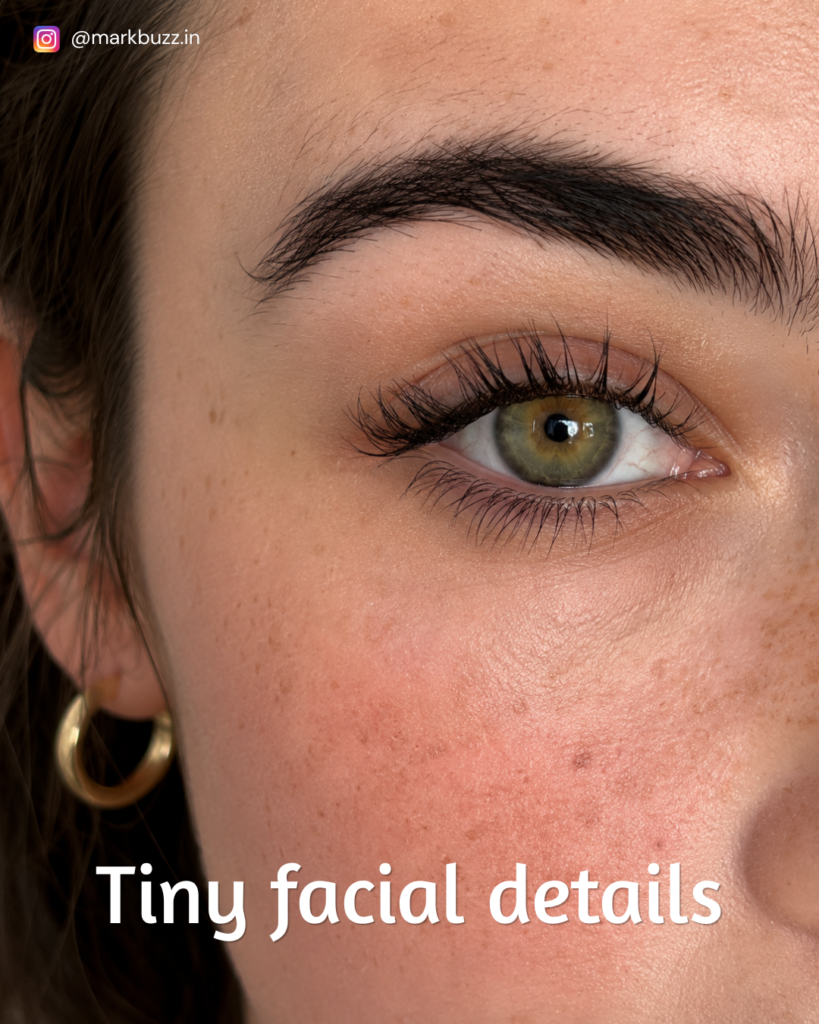
Extreme macro skincare photography.

Visible pores.

Natural freckles.

Fine facial hair.

Healthy hydrated skin.

Tiny acne marks.

Medical skincare photography.

No skin smoothing.

Ultra realistic.
Example Prompt 3 – Product Shot
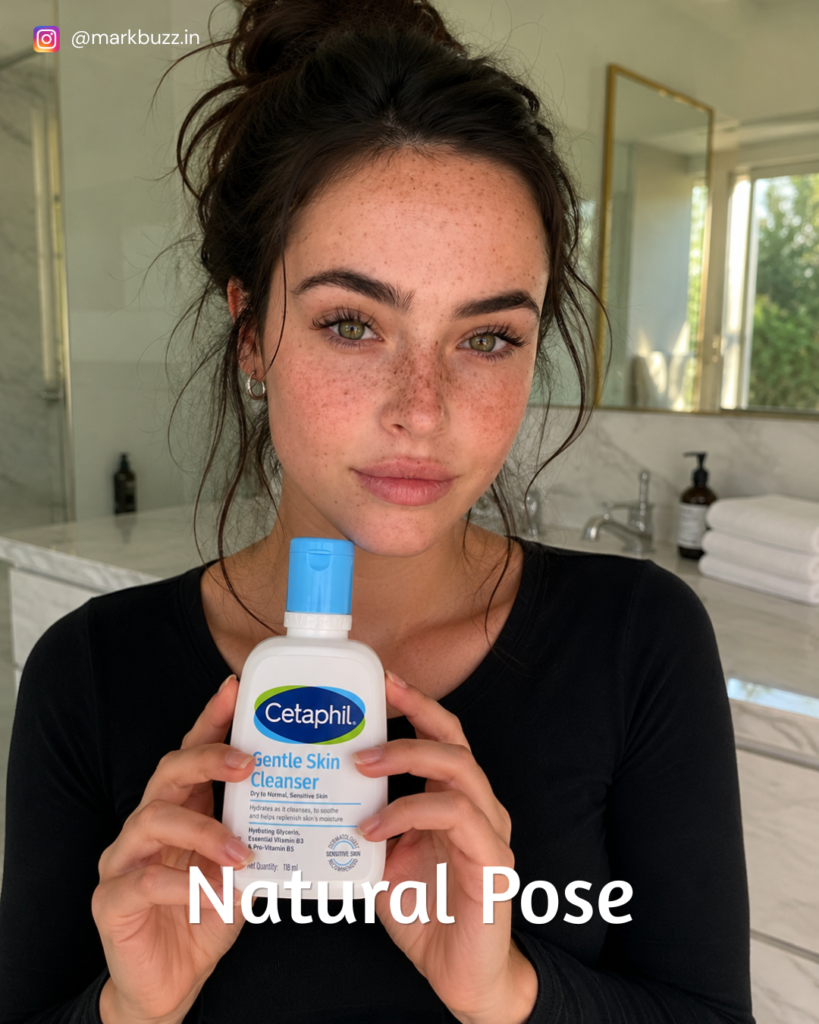
Same woman holding Cetaphil Gentle Skin Cleanser naturally.

Bathroom setting.

Messy bun.

Morning sunlight.

Soft smile.

Visible skin texture.

Minimal makeup.

Authentic UGC photography.

RAW image.
Example Prompt 4 – Product Usage
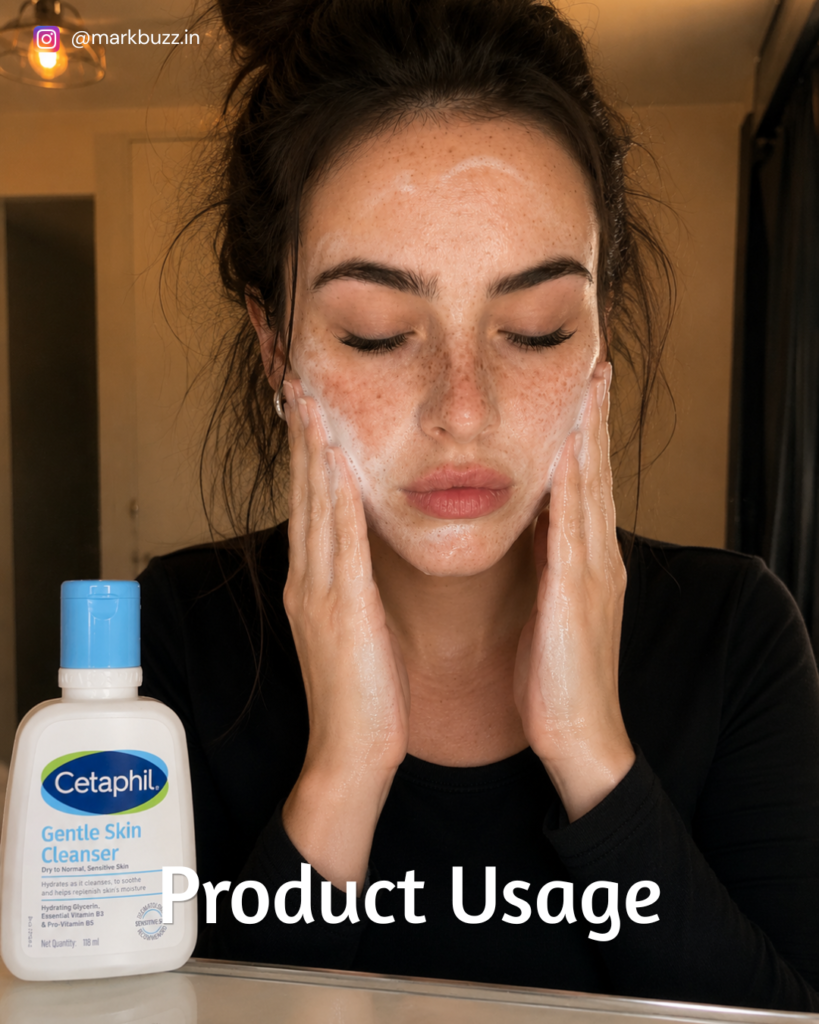
Same woman washing her face.

Natural cleanser foam.

Eyes closed.

Bathroom mirror.

Warm indoor lighting.

Visible skin texture.

Authentic skincare routine.

Ultra realistic smartphone photography.
Example Prompt 5 – After Cleansing
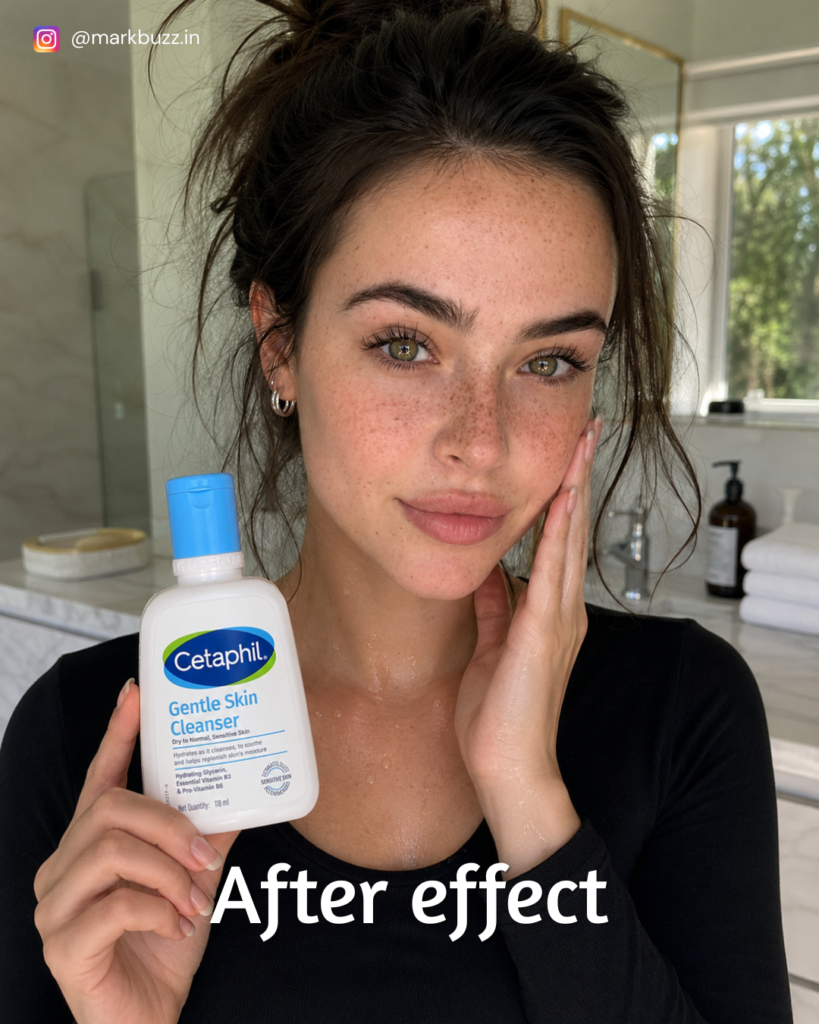
Freshly cleansed skin.

Holding product naturally.

Touching cheek.

Healthy hydrated glow.

Visible pores.

No beauty filter.

Bathroom background.

Natural lighting.

RAW image.

Hyperrealistic UGC.
The Details That Matter Most
The biggest improvements don’t come from adding more adjectives.
They come from preserving imperfections.
Focus on:
- Finger placement
- Product grip
- Hair flyaways
- Freckles
- Eyelashes
- Slight facial asymmetry
- Soft wrinkles
- Moisture on the skin
- Natural shadows
These are the details our brains associate with real photography.
Common Mistakes to Avoid
Over-editing
Don’t ask for “perfect.”
Authenticity wins.
Plastic Skin
Always request natural skin texture.
Unrealistic Hands
Mention:
Natural hand grip
Correct finger proportions
Overly Symmetrical Faces
Humans aren’t perfectly symmetrical.
Slight asymmetry improves realism.
Unrealistic Backgrounds
Keep backgrounds simple:
- Bedroom
- Bathroom
- Kitchen
- Vanity
- Office
These environments feel familiar and believable.
Why AI UGC Works for Brands
Brands no longer need expensive photoshoots for every creative variation.
With AI UGC, you can quickly generate:
- Product launches
- Social media creatives
- Paid ad variations
- Landing page visuals
- A/B testing assets
- Lifestyle imagery
- eCommerce product storytelling
- Mood boards
- Creative concepts
This speeds up production while keeping content fresh and visually engaging.
Can You Use AI UGC Commercially?
Before using AI-generated content in commercial campaigns, always review the terms of the AI platform you’re using and ensure you have the necessary rights for any reference images, products, logos, or trademarks included. If you’re creating work for clients, it’s also good practice to disclose when AI-assisted imagery is being used and to avoid misleading consumers.
Final Thoughts
The most realistic AI-generated images aren’t created with the longest prompts.
They’re created with the right observations.
Instead of trying to impress the AI with complex wording, think like a photographer.
Ask yourself:
- Would a real person stand like this?
- Would natural light look this way?
- Does the skin still look human?
- Are the hands believable?
- Does this feel like a phone photo?
When you focus on authenticity instead of perfection, AI becomes an incredibly powerful creative tool.
At MarkBuzz, we use this approach to create high-quality AI UGC concepts that help brands visualize campaigns faster, iterate on creative ideas, and produce content that feels relatable—not artificial.
Frequently Asked Questions
What is AI UGC?
AI UGC (AI User-Generated Content) refers to AI-generated images or videos designed to mimic authentic customer-created content, making them suitable for social media marketing and advertising.
Which industries can benefit from AI UGC?
Skincare, beauty, fashion, food, fitness, technology, home décor, eCommerce, healthcare, and consumer brands can all use AI UGC to create scalable marketing assets.
What makes AI-generated images look realistic?
Natural skin texture, authentic poses, realistic lighting, proper camera framing, and preserving subtle imperfections are the key factors.
Can AI replace traditional product photography?
AI is excellent for concept creation, rapid iteration, and creative testing. For regulated industries or campaigns requiring exact product representation, traditional photography may still be necessary.
How can MarkBuzz help?
At MarkBuzz, we create AI-powered marketing creatives, UGC concepts, social media assets, and conversion-focused campaigns that help brands produce content faster while maintaining a premium, authentic look.
Ready to Create Better AI Content?
If you’re looking to create hyper-realistic AI UGC, high-converting ad creatives, or AI-powered visuals for your brand, MarkBuzz can help.
👉 Get in touch to explore how AI can accelerate your content production without compromising on quality.